
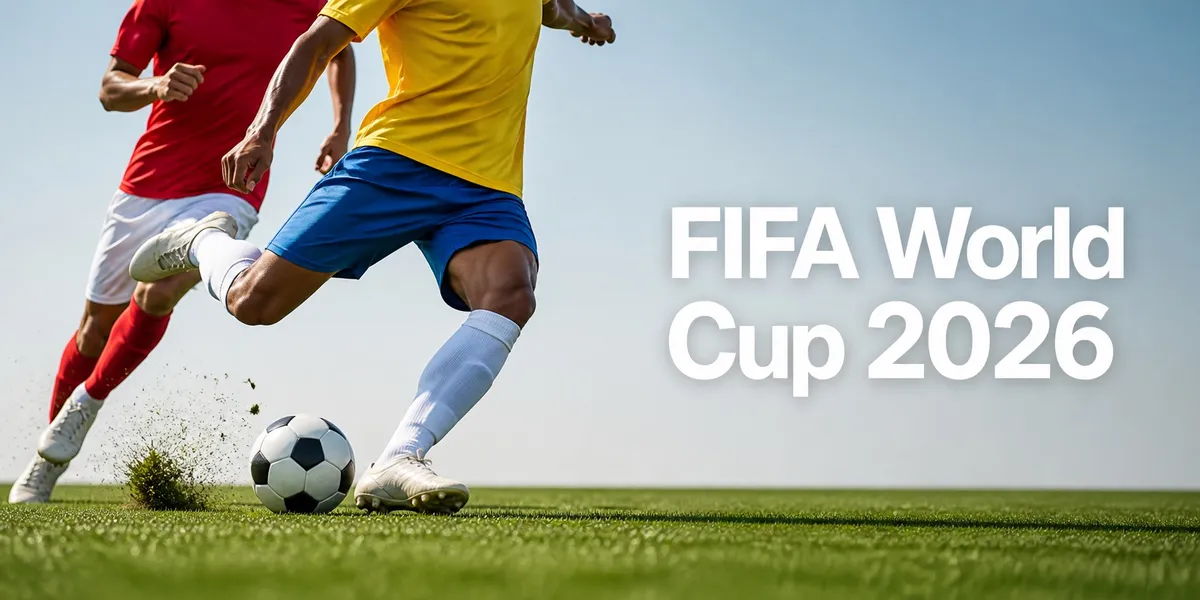
The World Cup creates a rush of design work.
Bars need watch party flyers. Restaurants need match-day menus. Creators need reels covers. Designers need posters. Small brands need social posts. Print shops need clean files. Event hosts need signs. YouTube creators need thumbnails.
Everyone wants the energy of the tournament on their screen, wall, menu, shirt, or ad.
That is where many people make the same mistake.
They search for “World Cup font,” copy a style that looks official, grab a logo from the web, and build a graphic that looks like it came from FIFA. That may feel fast, but it can create risk.
FIFA’s own FIFA World Cup 26 IP Guidelines list the official assets. These include the emblem, wordmark, slogan, host city logos, trophy, FIFA marks, word marks, and the official FWC 26 typeface. The same guide says the official typeface was made for the tournament and is protected where applicable.
So the better play is simple:
Create a soccer-inspired design, not a fake official design.
Summary
Use bold, original World Cup fonts for posters and flyers. Do not copy FIFA’s official logo, wordmark, trophy, slogan, mascot, host city logos, or official typeface. FIFA’s 2026 tournament has 48 teams, 104 matches, and 16 venues in Canada, Mexico, and the United States. Use a headline, body, and accent font, tag by project, and use Font Wizard Pro when files pile up in Downloads, email, and old folders.
The Best World Cup Fonts Are Original, Bold, and Easy to Read
The best World Cup-inspired fonts are not copies of FIFA’s typeface.
They are strong, clear fonts that fit the mood of football.
Use fonts that work from far away. Use fonts that look good on a phone. Use fonts with strong numbers. Use fonts that stay clean when printed on a flyer, shirt, sign, or menu.
A good soccer font should have:
| Font Trait | Why It Matters |
|---|---|
| Bold weight | Posters and thumbnails need fast impact. |
| Clear numbers | Scores, dates, times, and prices must be easy to read. |
| Strong uppercase letters | Sports graphics often use short, loud headlines. |
| Clean spacing | Crowded letters make flyers look cheap. |
| Mobile readability | Most fans will see the design on a phone first. |
| Clear license terms | Client work and paid promos need safe font use. |
Do not choose a font because it looks cool in one sample image.
Test it with real words first.
Use sample text like:
- Match Night
- Watch Party
- Final Weekend
- Doors Open 6 PM
- Live Match Screening
- City vs City
- Bring the Flags
If the font fails on those simple lines, skip it.
What Not to Copy From FIFA’s Brand
This is not legal advice. If you are making commercial work, ask a qualified legal expert.
That said, the safe design rule is clear:
Do not make your design look official if it is not official.
Avoid using:
| Avoid This | Use This Instead |
|---|---|
| FIFA official logo | A custom soccer ball icon or no icon |
| Official World Cup wordmark | Your own event name |
| Official trophy art | Generic football art |
| Official FWC 26 typeface | A licensed sports font |
| Host city logos | Plain city names |
| “Sponsored by FIFA” style copy | “Live match screening” |
| Official-looking badge layouts | Original poster layouts |
FIFA says generic football or country-related images and terms can be used when they do not include FIFA intellectual property. It also says official intellectual property in commercial ads is likely to create an unauthorized association and should be avoided.
For a bar, restaurant, creator, or small shop, this matters.
You can still make strong match-day graphics. Just make them original.
7 Font Styles That Work for Soccer Graphics
Not every font belongs on a match-day poster.
Some fonts look great in a font preview but fail on a flyer. Some look bold on desktop but weak on mobile. Some look athletic but become hard to read when you add dates, prices, and locations.
Use this guide as a starting point.
| Font Style | Best Use | Watch Out For |
|---|---|---|
| Bold condensed sans | Match posters, flyers, thumbnails | Can feel harsh if overused |
| Athletic block font | Scores, numbers, jersey-style graphics | Can look childish if too decorative |
| Geometric sans | Modern social graphics | May feel too clean for gritty match energy |
| Slab serif | Vintage football posters | Can feel heavy in small text |
| Brush or marker font | Fan chant graphics, street-style posts | Hard to read in long lines |
| Clean humanist sans | Menus, schedules, event details | Too plain for main headlines |
| Display font | Big one-line slogans | Usually bad for body copy |
Best rule:
Use one loud headline font, one quiet body font, and one accent font used sparingly.
Example:
- Headline: bold condensed sans
- Details: clean sans
- Accent: athletic number font
That gives you energy without clutter.
Picking a strong headline font is only the start. Save your headline, body, and accent choices as a repeatable set so the next edit starts with design, not a file search.
Build a Match-Day Font System
Do not pick fonts one post at a time. When files sit in Downloads, email, and old project folders, every new graphic starts with a search instead of a design. Tagging fonts by project and keeping a fixed headline, body, and accent set makes repeat work faster. That is exactly what Font Wizard Pro is built for.
View this post by @stalinkay on X
1. Choose a Headline Font
Use this for the main hook:
- Match Night
- Final Weekend
- Live Screening
- Watch Party
- Game Day Menu
Pick something bold and easy to read.
2. Choose a Body Font
Use this for:
- Time
- Date
- Venue
- Menu items
- Rules
- Call to action
This font should be calm and clear.
3. Choose an Accent Font
Use this for:
- Scores
- Team-style labels
- Short chants
- Price tags
- Stickers
- Badges
This font adds flavor. Use it lightly.
Match-Day Design Ideas You Can Make
Here are common match-day designs you may need during the tournament:
| Design Type | Best Font Choice | Tip |
|---|---|---|
| Watch party flyer | Bold condensed headline + clean sans | Make time and venue larger than the decoration. |
| Bar menu | Clean sans + slab accent | Keep prices easy to scan. |
| Instagram story | Big display font + short text | Use fewer words. |
| YouTube thumbnail | Bold uppercase font | Test it at phone size. |
| Merch mockup | Athletic block font | Avoid official marks. |
| Score graphic | Number-focused font | Check 1, 7, 8, and 0. |
| Community event sign | Humanist sans | Make it readable from far away. |
Why Font Choice Matters More During Big Events
During a major event like the World Cup, design work moves fast. A client needs a flyer today. A bar changes the match time. When a client asks for the same style as last time, scattered font files turn a quick edit into a search. Keeping one look across every asset is its own discipline, covered in the brand consistency checklist every marketer needs.
And if you use the wrong font, the design can fail in three ways:
- It can look too much like official FIFA branding.
- It can be hard to read.
- It can be hard to update later.
A Simple Font Workflow for World Cup Design Projects
Here is the clean workflow:
- Pick the design type.
- Choose the mood: bold, vintage, clean, loud, local, premium, or playful.
- Download only fonts you have the right to use.
- Preview each font with real match-day text.
- Tag fonts by use: poster, menu, social, merch, client, event.
- Build a small 3-font system.
- Save the final font set for future edits.
- Export or transfer fonts when you move from phone to desktop.
This is where Font Wizard Pro fits.
Font Wizard Pro lets you import OTF, TTF, OpenType, and TrueType files on iPhone or iPad. You can preview fonts, compare styles with your own text, tag them, build project sets, export ZIP files, and transfer fonts to a Mac or PC over Wi-Fi. When you are ready to finish on desktop, here is how to transfer fonts from iPhone or iPad to Mac.
View this post by @stalinkay on Threads
So instead of hunting through Downloads, Files, email attachments, and old project folders, you can keep your soccer design fonts in one clear place.
Use it to create sets like:
- World Cup Posters
- Watch Party Flyers
- Bar Menus
- Client Campaigns
- Jersey-Style Numbers
- Commercial-Use Fonts
- Free Alternatives
- Needs License Check
Direct answer
The best World Cup fonts are bold, original, easy to read, and licensed for your use. Use condensed sans for posters, clean sans for details, and athletic number fonts for scores. Use display fonts only for short headlines. Do not copy FIFA’s official logo, wordmark, trophy, slogan, host city logos, or official FWC 26 typeface. Font Wizard Pro can import, preview, tag, compare, export, and transfer those fonts on iPhone or iPad.
FAQ
Can I just use Canva templates?
Yes, but templates can make your work look like everyone else’s.
Fonts help you build a distinct style. If you use Canva, you can still use Font Wizard Pro to manage the font files and sets you use outside Canva.
Do I need a font system for one flyer?
One flyer often turns into a story post, a menu, a banner, a thumbnail, and a last-minute edit.
Save the font set now so you do not rebuild the same look later.
What if I only have a few fonts?
A small library is enough when it is organized.
Keep it clean before it becomes a mess. A small, tagged font library is better than a huge folder full of names you never use.
What fonts work best for World Cup posters?
Bold, condensed fonts often work best for World Cup-style posters because they are strong and easy to read. Pair them with a clean sans font for details like time, place, and ticket info.
Can I use FIFA’s official World Cup font?
Do not use FIFA’s official typeface unless you have the right approval. Use original, licensed fonts instead.
Can I use the words World Cup in my design?
Be careful.
Descriptive use and commercial use are not the same thing. If your design makes your business look like an official partner, sponsor, or rights holder, that is the danger zone.
For commercial work, get legal advice.
How many fonts should I use in a match-day flyer?
Use two or three fonts at most. Use one for the headline, one for details, and one accent font if needed.
What should small businesses avoid in World Cup graphics?
Avoid official logos, official marks, trophy art, official typefaces, and copy that makes your business look like an official sponsor or partner.
How do I organize fonts for sports design projects?
Tag fonts by project, mood, client, license, and use case. For example, use tags like “poster,” “menu,” “social,” “numbers,” “commercial-use,” and “client-approved.”
Can I manage fonts on iPhone or iPad?
Yes. Font Wizard Pro helps you import, preview, tag, compare, export, and transfer font files on iPhone or iPad.
Final Take
World Cup design moves fast. Build a strong, original soccer look instead of copying FIFA, and keep your font set ready for the next match, client edit, menu update, or social post. Build your match-day font library with Font Wizard Pro. Import your OTF and TTF fonts, preview them with real words, tag them by project, and compare styles. Export ZIP files and transfer your fonts over Wi-Fi when it is time to finish the job.
Sources
- FIFA World Cup 26 IP Guidelines
- FIFA World Cup 2026
- Google Search Central: Optimizing for Generative AI Features
- Font Wizard Pro on the App Store
Use and trademark notes
Font Wizard Pro works with font files you import or download from sources you choose.
Only use fonts you have the right to copy, install, share, or use.
Compatibility can vary by font file, device, system version, app, and transfer setup.
FIFA, World Cup, and related marks are trademarks of FIFA and its affiliates. This article is not affiliated with, endorsed by, or sponsored by FIFA. Do not use official FIFA intellectual property unless you have the right approval.
iPhone, iPad, iPod touch, Mac, and App Store are trademarks of Apple Inc., registered in the U.S. and other regions.