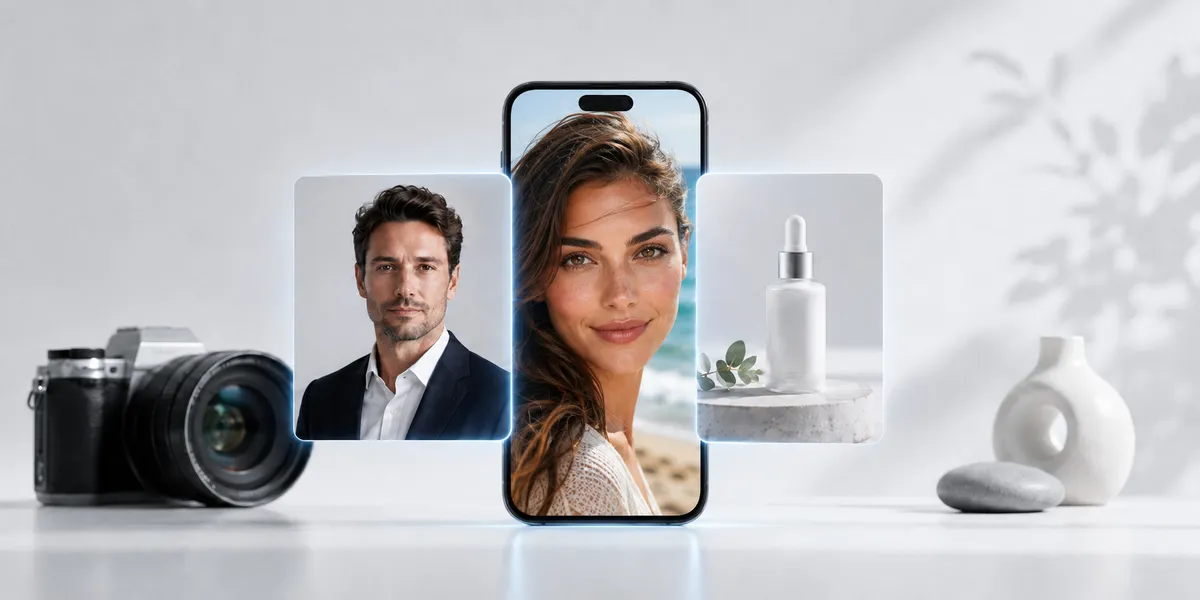
AI has changed photography.
A few years ago, a good headshot meant a camera, a studio, lights, a backdrop, makeup, edits, and a bill.
A good product photo meant samples, shipping, props, a table, lighting, a photographer, a retoucher, and days of review.
Now one person can upload a selfie and get a clean business headshot. A small store can turn one product photo into a full set of lifestyle images. A marketer can test ten ad concepts before lunch.
The camera is not dead.
But it is no longer the only gatekeeper.
That changes the job for photographers, designers, marketers, small business owners, and creators. It also creates a new problem.
When images are easy to make, trust gets harder to earn.
View this post by @stalinkay on Threads
For a cleaner font workflow on iPhone and iPad while you finish AI-assisted visuals, get Font Wizard Pro on the App Store.
Summary
AI headshots and product photos save time on profiles and ads but can mislead buyers when they change a person, product, or result. Use real photos when proof matters; use AI for drafts, tests, and mood boards. On iPhone or iPad, Font Wizard Pro can save, preview, compare, tag, export, and transfer your fonts.
The short answer
Use AI when you need speed, tests, mockups, backgrounds, or volume. Use real photos when the image must show what a person, product, place, or result truly looks like. Real photos build trust; AI adds speed; design and typography carry the brand.
AI photography is no longer a side trend
AI is already in professional workflows
AI is now part of real creative work.
Photographers use AI to cull images, edit faster, remove objects, extend backgrounds, clean up skin, and speed up boring tasks. Brands use AI to test product scenes, ad ideas, thumbnails, and campaign visuals.
VSCO’s 2026 photographer research found that AI is already mainstream in photo workflows. It reported that 83% of photographers use AI in their work, and 68% of working photographers use AI weekly or daily.
Retail is moving fast too.
Deloitte’s 2025 retail research says generative AI is being used in marketing, branding, ecommerce, customer service, and research. Reuters has also reported that Zara, H&M, and Zalando are using AI to speed up fashion image production and marketing content.
Why ecommerce needs more images than ever
This matters because ecommerce needs more images than ever.
One product may need:
- A product page image
- A clean white background image
- A social post
- A story image
- A YouTube thumbnail
- An email banner
- A landing page hero image
- A seasonal ad
- A retargeting ad
- A marketplace listing image
That used to take a large budget.
Now AI can help a small team make more visual options in less time.
Volume is not the same as quality
But more images do not always mean better images.
The brands that win will not be the ones that make the most AI content. They will be the ones that make clear, honest, useful content that still feels human.
What are AI headshots?
What they are and how they work
AI headshots are profile photos made or improved with artificial intelligence.
Most AI headshot tools ask you to upload selfies. The tool then creates polished portraits with different backgrounds, lighting, outfits, and poses.
Where people use them
People use AI headshots for:
- Resumes
- Speaker pages
- Press kits
- Team pages
- Portfolio sites
- Founder profiles
- Sales pages
- Personal brand websites
Why speed and cost appeal
The appeal is clear.
AI headshots are fast. They cost less than a studio shoot. They can help people avoid bad selfies. They give job seekers, founders, creators, and small teams a cleaner first impression. A headshot is just one piece of a wider personal brand, which we cover in personal branding and guerrilla marketing for startup CEOs.
Where trust breaks
But there is a line.
A headshot should still look like the person.
If the image changes your face too much, it may hurt trust. A smooth, perfect, fake-looking headshot can make people pause. It may look polished, but it can also feel false.
What a credible headshot still needs
A good AI headshot should make you look clear, current, and credible.
It should not turn you into someone else.
What are AI product photos?
What they cover
AI product photos are images made or changed with AI for ecommerce, ads, social posts, product pages, and launch campaigns.
Tasks AI product photos can speed up
They can help you:
- Remove a background
- Add a new background
- Create lifestyle scenes
- Show a product in many settings
- Make seasonal campaign images
- Test ad ideas
- Turn one product shot into many visual options
- Create social content without a full shoot each time
Why small teams use them
For small shops, that speed matters.
A founder can take a clean phone photo of a product and use AI to place it on a desk, bathroom shelf, kitchen counter, beach towel, or gift box.
A marketer can test which setting gets clicks before paying for a full shoot.
A designer can mock up a campaign before final assets are ready.
This is useful.
When product photos mislead buyers
But it can also go wrong.
If AI changes the real product, the image can mislead buyers. If the color, size, shape, texture, fit, or result is not true, the image becomes a trust problem.
An AI product image should support the sale.
It should not fake the product.
Cheap images, expensive trust
A harder question than “is this real?”
The internet is now full of images that look real.
Some are real. Some are edited. Some are fully AI-made. Some are a mix.
That creates a new question for every viewer:
Can I trust this?
What buyers start to doubt
Buyers may now wonder:
- Is this a real product?
- Is this a real person?
- Is this a real result?
- Is this a real place?
- Is this a real customer photo?
- Is this brand hiding something?
What weak trust costs you
That doubt can kill a sale.
A fake-looking product photo may get attention, but it can also make people worry. If the image looks too perfect, they may wonder what is being hidden.
A fake-looking headshot may look clean, but it can make a person seem less real.
A fake brand image may save money today, but cost trust later.
Belief is the new bottleneck
This is the new photo problem.
The hard part is no longer making an image.
The hard part is making an image people believe.
The trust rules are getting stricter
Law and platforms are catching up
AI image trust is not just a design issue. It is becoming a legal and platform issue too.
The EU AI Act includes transparency rules for AI-generated content. The European Commission says these rules come into effect in August 2026. The rules require certain AI-generated content to be identifiable and certain deepfakes to be clearly labelled.
The C2PA standard also exists to help show where digital content came from and how it was changed. Adobe describes Content Credentials as a kind of digital nutrition label for content. It can show whether an image was captured by a camera, generated by AI, or edited with tools like Photoshop.
The FTC also says ads must be truthful, not misleading, and backed by evidence when needed.
A simple rule for product claims
That matters for AI product photos.
If an image makes a product look bigger, better, smoother, cleaner, stronger, or more effective than it is, the issue is not just taste. It may become a trust and claims problem.
A simple rule helps:
If the image changes what the buyer expects to receive, do not use it as product proof.
AI will not replace all photographers
Where real photography still matters
AI will not end photography.
People still need real photos for weddings, events, news, sports, food, travel, product proof, real estate, law, medicine, and human stories.
A real moment still needs a real camera.
What AI will take over first
But AI will replace slow, simple, low-value image work.
It will replace work where the main goal is not to capture truth, but to make useful visual content fast.
That includes:
- Simple ecommerce backgrounds
- Fast ad tests
- Blog images
- Social post drafts
- Mood boards
- First-draft campaign images
- Stock-style visuals
- Thumbnail concepts
- Simple profile image cleanup
- Product scene mockups
Camera versus AI: a simple split
The camera still matters when the real moment matters.
AI wins when speed, cost, and volume matter more.
The old photo workflow is breaking
The classic shoot-to-publish path
The old workflow looked like this:
- Plan the shoot.
- Book the space.
- Shoot the images.
- Edit the photos.
- Add copy and design.
- Export files.
- Share with the team.
The AI-assisted path many teams use now
The new workflow often looks like this:
- Start with an idea.
- Use AI to create or improve images.
- Pick the most honest and useful version.
- Add brand colors, text, fonts, layout, and product details.
- Export for web, ads, social, email, or store pages.
- Test.
- Repeat.
The image is no longer the whole job.
It is one part of the job.
What the final asset still needs
The final asset still needs:
- A clear message
- A strong headline
- Clean type
- A readable layout
- Brand-safe design
- Correct product details
- The right file format
- A simple way to find the files again
This is why font control matters more now, not less.
When images become easy to make, the words on top of those images become a key way to stand out.
AI images still need real typography
Why AI struggles with text on images
AI tools can create images quickly.
But they still struggle with text.
Ask AI to place real words on a package, poster, label, thumbnail, ad, or product card. You may get warped letters, odd spacing, fake words, or text that looks close but wrong.
That is not good enough for real work.
Fonts are part of brand voice, not decoration
A brand font is not decoration.
It is part of the brand.
The right font can make a product feel calm, bold, clean, fun, premium, young, classic, or trusted.
The wrong font can make a good image look cheap.
Where typography still decides quality
This matters for:
- Product photos with labels
- AI ad images
- Blog banners
- YouTube thumbnails
- Social posts
- Landing page hero images
- Course graphics
- App screenshots
- Brand kits
- Posters
- Sales decks
- Client mockups
AI may help you make the image.
What your workflow still has to cover
But you still need to choose the font.
You still need to keep your font files safe.
You still need to preview them.
You still need to compare them.
You still need to move them between devices.
You still need a workflow.
How AI multiplies file chaos
One product, many versions
AI makes image creation faster.
That sounds good until your files multiply.
One product can now turn into:
- 12 ad images
- 8 product page images
- 5 seasonal scenes
- 4 thumbnails
- 3 email headers
- 10 social post tests
- 6 landing page mockups
Each version still needs its own layout
Each version may need a different headline, layout, and font choice.
How scattered files pile up
Soon your files are everywhere.
Fonts sit in Downloads. Some are in Files. Some are in old folders. Some came from email. Some came from a client. Some came from a past project. Some were downloaded twice.
You remember the look, but not the name.
You know you had the font, but not where it went.
So you use the same font again because it is the one you can find.
Why convenience beats variety
That is how creative work gets stale.
Not because you lack taste.
Because your assets are a mess.
Font work stays messy after the image
The complaints sound familiar
Designers and creators often describe font management with the same pain points:
- “It gets so messy.”
- “I use the same typefaces over and over again out of convenience.”
- “It is a pain to choose between them.”
- “I want to view and compare all of my installed or downloaded fonts.”
View this post by @stalinkay on X
Why faster images make fonts worse
That pain gets worse when AI speeds up content production.
More images means more headlines. More headlines means more font choices. More font choices means more file hunting if your library is not under control.
That is the part many AI tools do not solve.
They help create the image.
They do not help manage the type system that makes the image usable.
Why Font Wizard Pro fits the new AI image workflow
AI helps with the image.
Font Wizard Pro helps with the type that finishes the image.
It turns your iPhone, iPad, or iPod touch into a clean font workflow for real projects.
You can use it to:
- Browse the web for fonts
- Download OTF, TTF, OpenType, and TrueType files
- Import your own font files
- Preview each typeface
- Compare fonts with your own words
- Build project sets
- Tag fonts by style, mood, client, brand, or use case
- Export ZIP files
- Transfer fonts to your Mac or PC over Wi-Fi
- Install fonts on iOS using a configuration profile when supported
This matters because AI content still needs human control.
A product image may start in an AI tool. But the final ad still needs the right headline font.
A headshot may be made with AI. But the personal brand kit still needs type that fits the person.
A fake-looking image may get clicks. But a clean brand system builds trust.
Font Wizard Pro gives your fonts a home, so you stop hunting through messy folders and start choosing with intent.
When should you use AI images?
Use AI images when speed, range, and testing matter.
Good use cases include:
- Drafting ideas
- Testing ad concepts
- Creating mood boards
- Making blog images
- Creating product lifestyle scenes
- Mocking up campaigns
- Producing simple social posts
- Building quick internal visuals
- Creating backgrounds
- Making thumbnail options
AI is useful when a real shoot would be too slow or too costly for a first draft. If you want to go deeper on generative image tools, see our guide to unleashing creativity with Midjourney.
For example, you may want to test whether a skincare product sells better on a white background, bathroom shelf, beach towel, or gift box scene.
You do not need four full shoots to learn that.
You can test the idea first.
Then use real photography for final proof if needed.
When should you avoid AI images?
Do not use AI images when truth is the main value.
Be careful with AI for:
- News
- Legal proof
- Medical claims
- Before-and-after results
- Customer testimonials
- Product fit
- Product size
- Product texture
- Food quality
- Real estate images
- Event photos
- Historical images
- Anything that could mislead a buyer
If the image shows a result the product cannot create, do not use it.
If the image changes what the customer will get, do not use it.
If the image could make people believe a false event happened, do not use it.
Trust is harder to win than attention.
AI image decision guide
| Use case | Best choice | Why |
|---|---|---|
| LinkedIn profile photo | AI-assisted or real photo | It must still look like the person. |
| Product detail page | Real photo | Buyers need proof of color, size, fit, and texture. |
| Product ad concept | AI-generated or AI-assisted | Speed and testing matter. |
| Blog banner | AI-generated or AI-assisted | It is often a concept image, not proof. |
| Customer testimonial | Real photo | Trust matters most. |
| YouTube thumbnail | AI-assisted or AI-generated | The goal is attention and clarity. |
| Fashion fit image | Real photo or clearly disclosed AI-assisted image | Fit, drape, and body shape affect buyer trust. |
| Before-and-after result | Real photo | A fake result can mislead. |
| Mood board | AI-generated | Fast concept work is the point. |
| Packaging label image | Real design with real fonts | Text must be exact and readable. |
The best AI photography strategy for brands
The best strategy is not “use AI for everything.”
The best strategy is to split images into three groups.
1. Real proof images
These show the real product, real person, real place, or real event.
Use them when buyers need proof.
Examples include:
- Product detail photos
- Customer photos
- Founder photos
- Team photos
- Real store photos
- Packaging photos
- Event photos
2. AI-assisted images
These start from real assets but use AI to clean, extend, retouch, or speed up the process.
Examples include:
- Background cleanup
- Image resizing
- Color correction
- Retouching
- Removing clutter
- Extending a background for a banner
- Making ad crops
3. AI-generated images
These are made mostly or fully with AI.
Use them for concepts, blog art, mood images, campaign ideas, and non-proof visuals.
Examples include:
- Abstract banners
- Concept art
- Social backgrounds
- Seasonal scenes
- Idea mockups
- Visual metaphors
This split keeps your brand fast and honest.
The new creative stack
The future of photography is not just a camera.
It is a stack.
For many creators, that stack now looks like this:
- Camera for real proof
- AI for speed and scale
- Design app for layout
- Font manager for type control
- File transfer tool for moving assets
- Brand guide for rules
- Human review for trust
The best creators will not be the ones who use the most AI.
They will be the ones who build the best workflow.
Why AI text still falls short
AI can sometimes make text inside an image.
But not well enough for serious brand work.
AI text can look close at first glance. But it often fails when you need exact words, clean letters, correct spacing, and brand-safe type.
That is a problem for:
- Product labels
- Prices
- Calls to action
- Ads
- Thumbnails
- Posters
- Packaging mockups
- App screenshots
- Brand graphics
If the text matters, use real fonts.
Add the type in a design tool. Keep the font file ready. Make sure the design is readable on mobile. Export the right size.
That gives you more control than hoping the AI gets it right.
Why a design app is not a font workflow
You may already use Canva, Adobe, Figma, Procreate, Affinity, or another design app.
That is fine.
Font Wizard Pro does not replace your design app.
It helps you manage the font files you use across your design work.
Use your design app to make the asset. Use Font Wizard Pro to keep your type library organized, portable, and ready.
This is useful when you work across iPhone, iPad, Mac, PC, Files, client folders, downloads, and old projects.
Your design app is where the work comes together.
Your font workflow is how the right type gets there.
Why marketers need font control
Marketers now make more visual assets than ever.
Landing pages, ads, emails, thumbnails, lead magnets, launch graphics, carousels, and product images all need type.
If the font is wrong, the brand feels wrong.
If the font is missing, the project slows down.
If the font is buried, the team wastes time.
This matters even more with AI.
AI makes it easier to create more images. But every image still needs clear words, strong layout, and brand-safe type.
A font manager helps you move faster without losing control.
Why folders are not enough
Folders help, but they do not solve the whole problem.
A folder can store a font file.
It cannot show you how a font feels in a real headline.
It cannot compare fonts side by side with your own words.
It cannot tag fonts by mood, client, brand, project, or use case in one clean workflow.
It cannot make it easy to build a set for a logo, campaign, website, app, or client project.
A folder can hold files.
It cannot help you choose faster.
The line between AI help and AI fakes
AI photography is not always fake.
AI can be used to fake. It can also be used to help.
There is a difference between cleaning up a background and inventing a false product result.
There is a difference between making a concept image and pretending it is a real photo.
There is a difference between a polished headshot and a face that no longer looks like the person.
The ethical question is simple:
Would a reasonable person feel misled if they knew how the image was made?
If yes, fix it, label it, or do not use it.
Why real photos still matter
Real photos still matter when people need trust.
Use real photos for proof. Use AI for drafts, variants, backgrounds, and supporting content.
The smartest brands will use both.
They will not ask, “Should we use AI or photography?”
They will ask, “Which parts need truth, and which parts need speed?”
That is the better question.
A simple AI image workflow for creators
Use this workflow for headshots, product photos, ads, and social content.
Step 1: Define the job
Ask:
- Is this image proof?
- Is this image a concept?
- Is this image for trust?
- Is this image for attention?
- Is this image for sales?
The answer tells you how much AI is safe to use.
Step 2: Start with the best source
For products, use a clean real photo when possible.
For headshots, use a current photo that still looks like you.
For brand images, use your real colors, fonts, and product details.
Step 3: Use AI for speed
Generate options. Test backgrounds. Try crops. Make drafts.
Do not treat the first result as final.
Step 4: Check for trust issues
Look for:
- Wrong hands
- Warped text
- Fake logos
- Bad shadows
- Odd reflections
- Wrong product size
- Wrong product color
- Skin that looks too smooth
- A face that no longer looks like the person
Step 5: Add real type
Use your real fonts in your design tool.
Do not rely on AI-generated text for final brand work.
Step 6: Organize your fonts
Save the right fonts by project, client, style, or campaign.
This is where Font Wizard Pro helps.
Step 7: Export and transfer
Move your font files and project assets where they need to go.
If you work on iPhone or iPad and finish on Mac or PC, Wi-Fi transfer and ZIP export can save time.
Where Font Wizard Pro helps most
Font Wizard Pro is useful when you need to keep font work under control.
It helps when:
- You download fonts often
- You test many headline styles
- You work on iPad or iPhone
- You need to move fonts to Mac or PC
- You create AI images, then finish them in a design app
- You make thumbnails, posts, ads, posters, or banners
- You manage client or brand fonts
- You hate guessing from file names
- You want to compare fonts with real words
- You want to tag fonts by project or style
- You want to stop using the same font just because it is easy to find
AI makes more images.
Font Wizard Pro helps you bring order to the type that finishes those images.
Download Font Wizard Pro on the App Store.
What Font Wizard Pro does
Font Wizard Pro gives your font library a clear place to live on iPhone, iPad, or iPod touch.
You can:
- Browse the web for fonts.
- Download OTF, TTF, OpenType, and TrueType files.
- Import font files from your own sources.
- Preview fonts before you use them.
- Compare fonts with custom text.
- Build font sets for real projects.
- Tag fonts by style, client, brand, or use case.
- Export fonts as ZIP files.
- Transfer fonts to a nearby Mac or PC over Wi-Fi.
- Install fonts on iOS using a configuration profile when supported.
Apple supports font installation through compatible apps on iPhone and iPad. Apple’s deployment documentation also covers TrueType and OpenType font payloads for supported managed devices.
That means Font Wizard Pro fits a real mobile creative workflow.
It is not just a place to store files.
It is a way to keep your type ready for work.
The future of photography is not just images. It is systems.
The old photo workflow was built around capture.
The new workflow is built around output.
You may need one image for a product page, one for Instagram, one for a story, and one for a YouTube thumbnail. Then you need one for an email, one for a landing page, and one for an ad.
Each format needs a different crop.
Each crop may need different type.
Each design needs the right font.
That is why the future belongs to creators who can manage the whole system, not just the prompt, the camera, or the image.
Cameras are not useless, but they are no longer the only gatekeeper
AI headshots are here.
AI product photos are here.
Fake images are here.
The future of photography is not coming later. It is already part of the work.
The winners will not be the people who deny it.
They will be the people who use it with taste, proof, and control.
Use real photos when trust matters.
Use AI when speed and scale matter.
Use real fonts when the words matter.
And if your font files are spread across downloads, folders, devices, and old projects, fix that part of your workflow now.
Font Wizard Pro helps you save, preview, tag, compare, export, and transfer your fonts from one clear place.
AI can make the image.
Your brand still needs the right words, the right type, and the right system behind it.
FAQ
Are AI headshots worth it?
AI headshots can be worth it if you need a fast and low-cost profile photo. They work best when the final image still looks like you. Avoid results that change your face too much.
Are AI product photos good for ecommerce?
AI product photos can help with backgrounds, ad tests, lifestyle scenes, and fast content. Use real photos when the buyer needs proof of the product’s size, color, texture, fit, or result.
Will AI replace photographers?
AI will replace some low-value photo tasks, but it will not replace the need for human trust, taste, direction, and real proof. Photographers who use AI to speed up boring work can become more valuable, not less.
Are AI images fake?
Some AI images are fake. Some are assisted. Some are based on real photos. The key issue is whether the image misleads the viewer.
Should brands label AI images?
If an image could be mistaken for a real person, event, result, or proof, label it or avoid using it. Clear disclosure protects trust.
Can AI product photos hurt sales?
Yes. AI product photos can hurt sales if they make the product look better than it is. If buyers receive something that does not match the image, trust drops.
Why do AI images need fonts?
Most final marketing images need headlines, captions, labels, prices, calls to action, or brand text. AI often struggles with clean text inside images, so real font control still matters.
What does Font Wizard Pro do?
Font Wizard Pro helps users browse, download, import, preview, compare, tag, group, export, and transfer font files on iPhone, iPad, or iPod touch.
Can I transfer fonts from iPhone or iPad to Mac or PC?
Yes. Font Wizard Pro can export fonts as ZIP files and transfer them to a nearby Mac or PC over local Wi-Fi.
Can I install fonts on iPhone or iPad?
Yes. iOS and iPadOS support font installation through compatible apps. Font Wizard Pro supports install or activation options on compatible fonts and devices, including iOS font installation using a configuration profile when supported.
Who is Font Wizard Pro for?
Font Wizard Pro is for designers, marketers, developers, content creators, students, small business owners, writers, and makers who need a cleaner way to manage font files.
Why does font management matter more in the AI era?
AI makes it easier to create more images. More images need more headlines, captions, labels, thumbnails, ads, and brand assets. A clean font workflow helps creators move faster without losing brand control.
Sources
- VSCO: Photographers and AI Industry Research Report 2026
- Deloitte: Unlocking Generative AI Value in Retail and Consumer Products
- Reuters: Zara Turns to AI to Generate Fashion Imagery Using Real-Life Models
- Reuters: Zalando Uses AI to Speed Up Marketing Campaigns and Cut Costs
- European Commission: AI Act Regulatory Framework
- C2PA: Verifying Media Content Sources
- Adobe: Content Credentials Overview
- FTC: Truth in Advertising
- Apple Support: Install and Manage Fonts on iPhone
- Apple Support: Install and Manage Fonts on iPad
- Apple Deployment: Fonts Payload Settings for Apple Devices
- Font Wizard Pro on the App Store
Use and trademark notes
Font Wizard Pro works with font files you import or download from sources you choose.
Only use fonts you have the right to copy, install, share, or use.
Compatibility can vary by font file, device, system version, app, and transfer setup.
iPhone, iPad, iPod touch, Mac, and App Store are trademarks of Apple Inc., registered in the U.S. and other regions.
Related reading
- Font Wizard Pro Is Back: Take Your Font Library Everywhere
- Are Cameras Becoming Useless? The Truth About AI Photography
- Will AI Replace Photographers? Why Cameras May Become Optional
- World Cup Font Guide: How to Create Match-Day Posters, Watch Party Flyers, and Social Graphics Without Copying FIFA’s Brand