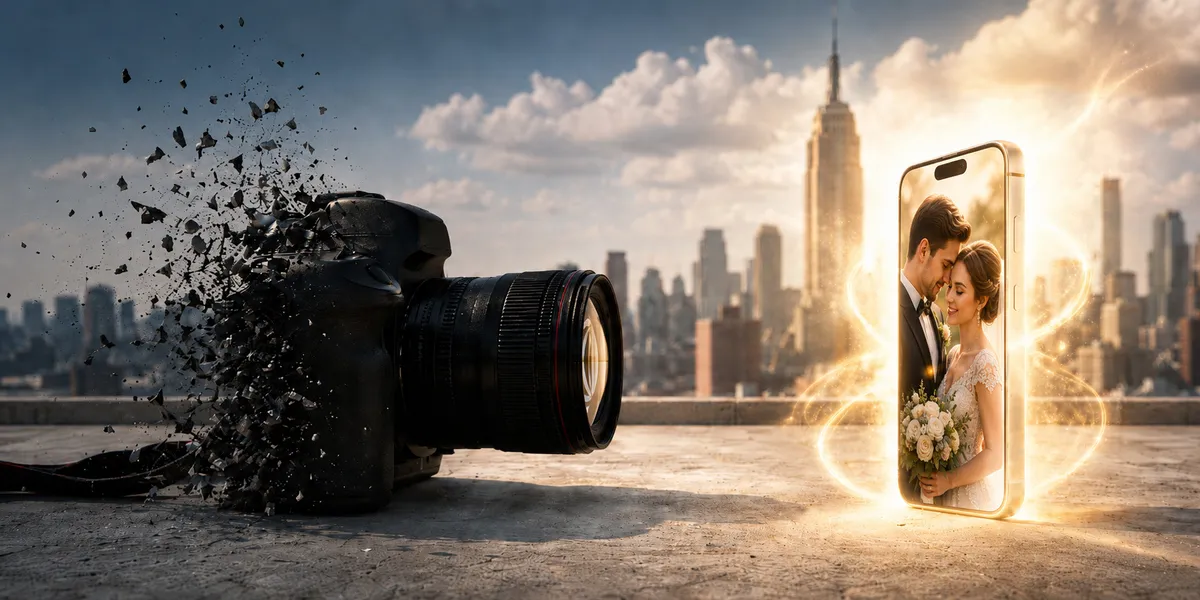
AI can create polished images in minutes. That makes it fair to ask whether cameras still matter.
They do when you need proof, not just a pretty picture.
View this post by @stalinkay on Threads
This guide explains what AI photography changes, what cameras still do best, and how font workflow fits the finished asset. For a cleaner way to manage fonts on iPhone and iPad while you build posts, ads, and brand assets, get Font Wizard Pro on the App Store.
Summary
No. Cameras are not becoming useless because AI cannot replace every job a camera does. AI can create and edit images; a camera can capture a real moment. Use capture when you need proof and AI when you need speed, then finish the asset with type, layout, and a clear font workflow.
- AI is not making cameras useless. It is making basic image creation easier.
- Cameras still matter for real people, real products, real events, proof, detail, and trust.
- The real shift is not camera versus AI. It is capture versus synthesis.
- AI can make a polished image fast. A camera can prove a real moment happened.
- AI raises the floor for visual content. It does not replace taste, trust, brand fit, or final design.
- The new creative bottleneck is often not the photo. It is the workflow after the photo.
- Images stop the scroll. Type shapes the message. The right font can make people read, trust, click, and buy.
- If your fonts are buried in downloads, emails, old folders, Files, and past projects, your final design slows down.
- A mobile font manager like Font Wizard Pro helps you save, preview, tag, compare, export, and transfer fonts from one clear place.
Direct answer: are cameras becoming useless?
No. Cameras are not becoming useless because AI cannot replace every job a camera does.
AI can create, improve, and change images. A camera can capture a real moment.
That difference matters.
A camera still matters when you need proof:
- A real product.
- A real person.
- A real event.
- A real place.
- A real client result.
- A real before-and-after.
- A real memory.
- A real news moment.
AI can imitate these things. But imitation is not proof.
A real photo says, “This happened.”
An AI image says, “This could look like this.”
Both can be useful. But they do not do the same job.
Why this question matters now
A few years ago, a great photo took more effort.
You needed a good camera. You needed good light. You needed skill. You needed editing tools. You needed time.
Now AI can fix bad light. It can remove objects. It can expand a frame. It can change a sky. It can clean up a background. It can create a whole image from a prompt.
So the question makes sense:
If AI can make images, do we still need cameras?
Yes.
But cameras now sit inside a larger creative system.
That system includes:
- Capture.
- AI editing.
- Image generation.
- Brand assets.
- Fonts.
- Layout.
- Trust signals.
- File management.
- Final publishing.
The camera is no longer the whole workflow.
It is one part of the workflow.
The data does not show that cameras are dead
The dedicated camera market has changed, but it has not vanished.
The Camera & Imaging Products Association reported that total digital camera shipments reached 9,438,876 units in 2025, up 111.2% year over year. Built-in lens cameras reached 2,436,911 units, up 129.6% year over year. CIPA also projected total digital camera shipments of 9,590,000 units in 2026. Source: CIPA 2026 Outlook on Camera Shipments.
That does not mean every camera category is growing forever.
It means the simple “AI killed cameras” story misses how people still buy cameras for real capture.
People still buy cameras when they need control, quality, real capture, video features, reach, portability, or a different shooting feel than a phone can give them.
The better view is this:
AI is not killing cameras. It is changing what cameras are for.
What is AI photography?
AI photography is the use of artificial intelligence to capture, improve, edit, generate, or guide images.
It can include:
- Phone cameras that improve photos as you shoot.
- Object removal.
- Background cleanup.
- Image expansion.
- Smart cropping.
- Face and skin adjustments.
- Prompt-based image creation.
- AI-assisted color and light edits.
- AI tools that turn rough concepts into polished visuals.
Some AI photography starts with a real camera photo.
Some starts with a prompt.
Some blends both.
That is why the word “photography” is becoming broader. It can now mean capture, edit, synthesis, or a mix of all three.
AI did not kill photography. It killed lazy visual work.
AI makes average images easier to create.
That is a big deal.
But it also creates a new problem.
When everyone can make a clean image, a clean image no longer makes you stand out.
Your product image can look good. So can your competitor’s.
Your thumbnail can look bold. So can the next creator’s.
Your travel image can look cinematic. So can everyone else’s.
Your ad can look polished. So can every other ad in the feed.
AI raises the floor.
It does not remove the ceiling.
The people who win will not be the ones who only make nice images. They will be the ones who make useful, trusted, branded images that are ready to publish fast.
AI image tools are already part of the workflow
AI image tools are not a future trend. They are already part of creative work.
Artificial Analysis reported that image generation had 89% personal adoption among surveyed generative media users in its 2025 State of Generative Media report. The same report found that quality was the top factor in model selection for both personal and organizational use. Source: Artificial Analysis State of Generative Media Survey 2025.
That matters because it shows where the market is going.
People are not only testing AI image tools.
They are using them. Midjourney is one popular example, and our guide to unleashing creativity with Midjourney shows how creators put it to work.
But this does not make cameras useless. It makes the final creative workflow more important.
AI can help produce options.
The creator still has to choose what looks true, what fits the brand, what feels clear, and what will make the audience act.
Sameness is the bigger risk than AI
Ask about differentiation, not gear
Most people ask the wrong question.
They ask:
Will AI replace cameras?
A better question is:
Will my work look the same as everyone else’s?
That is the bigger risk.
How generic AI visuals spread
AI tools can pull people toward the same look:
- Smooth skin.
- Perfect light.
- Clean backgrounds.
- Glossy products.
- Soft gradients.
- Unreal faces.
- Over-polished scenes.
- Generic moods.
- Stock-photo energy.
At first, it feels impressive.
Then it feels normal.
Then it feels fake.
What still separates memorable work
This is where taste matters.
Your camera choice matters.
Your edit matters.
Your crop matters.
Your words matter.
Your font matters.
Your layout matters.
Your file workflow matters.
If your final design looks like a template, your audience feels it.
If your final design looks like your brand, your audience remembers it. Staying recognizable across every asset is the focus of the brand consistency checklist every marketer needs.
What AI can replace and what it cannot
| Task | Can AI help? | Does a camera still matter? |
|---|---|---|
| Create a fast concept image | Yes | Not always |
| Remove background clutter | Yes | Sometimes |
| Expand a frame | Yes | Sometimes |
| Show a real wedding | No | Yes |
| Show a real product condition | No | Yes |
| Prove an event happened | No | Yes |
| Capture a client result | No | Yes |
| Create ad variations | Yes | Sometimes |
| Build trust with real proof | Partly | Yes |
| Finish a branded asset | Partly | Yes, plus design tools |
AI is strong at speed.
Cameras are strong at proof.
Design systems are strong at consistency.
A serious creator needs all three.
Trust is becoming part of the image
As AI images become easier to create, trust becomes more valuable.
Adobe describes Content Credentials as a “digital nutrition label” for content. These credentials can show details about how content was made, such as whether it was captured by a camera, generated by AI, or edited with tools like Photoshop. Source: Adobe Content Credentials overview.
That tells us something important.
The future of visual media is not only about better images.
It is about knowing where images came from.
Real capture still matters because trust matters.
For news, product claims, events, legal proof, client work, and brand trust, a real photo can still carry weight that a generated image cannot.
The new creative problem: the photo is not the final asset
One capture, many deliverables
A photo rarely stays as a photo.
It often becomes:
- A landing page hero.
- A YouTube thumbnail.
- A product page image.
- A social post.
- A paid ad.
- A poster.
- A client proof.
- A deck slide.
- A case study graphic.
- A logo mockup.
- A website banner.
- A brand kit asset.
What still has to happen after the shot
That final asset needs more than a good image.
It needs a message.
It needs type.
It needs layout.
It needs a brand feel.
This is where many creators lose time.
They have the image. They have the idea. They know the message.
Then the font choice slows everything down.
The typography layer is where many visuals win or fail
Images stop the scroll; type earns the click
A strong image can stop the scroll.
But type often gets the click.
The image makes people pause.
The headline tells them why they should care.
The font shapes how that headline feels.
When words and fonts disagree
The words may say “premium,” but the font may say “cheap.”
The words may say “simple,” but the font may feel cluttered.
The words may say “trusted,” but the font may feel childish.
The words may say “bold,” but the font may feel weak.
Where typography shows up in real campaigns
This matters for:
- Ads.
- Landing pages.
- Thumbnails.
- Video titles.
- Posters.
- Product mockups.
- App screens.
- Client decks.
- Brand kits.
- Social campaigns.
AI can create more visuals.
But your brand still needs a clear voice.
Fonts are part of that voice.
Font work gets messy fast
What people actually complain about
Most people do not call this a “font workflow problem.”
They just feel the pain.
Across design forums, Adobe support threads, and Reddit posts, people describe the same issues in plain language:
- “My font folder is massive.”
- “I can never find a font when I want it.”
- “Installed way too many fonts.”
- “Missing fonts.”
- “Fonts not visible.”
- “The font is installed, but the app can’t find it.”
- “How can I transfer them?”
- “I need to preview fonts with custom text.”
- “I need to group them.”
- “I don’t want thousands of fonts in my font selector.”
Sources include public threads on Reddit, Adobe Community, and Apple Support about missing fonts, too many fonts, font folders, and fonts not showing up in apps. See the source list at the end of this article.
View this post by @stalinkay on X
The pattern behind the complaints
The pattern is clear.
The problem is not only finding a pretty font.
The problem is keeping the right font ready when the work needs to ship.
The hidden cost of messy font work
How small friction compounds
Messy font work does not feel like a big problem at first.
Then it starts stealing time.
You find a great font on a website.
You download it.
You use it once.
Then the file sits in Downloads.
When you need the same font again
Next week, you need it again.
Now it might be in Files. Or email. Or an old ZIP. Or a client folder. Or a desktop folder. Or an app folder. Or your Mac. Or your iPad.
The name does not help because font names are often hard to remember.
So you scroll.
You guess.
You reopen old files.
You download the same font again.
Then again.
Now you have duplicates.
Now you have missing fonts.
Now you have a project folder with the wrong version.
Now you have a client asking for a change, but the typeface is not where you thought it was.
The creative idea was not the problem.
The workflow was.
Why messy fonts hurt more in the AI photography era
Speed upstream exposes slow steps downstream
AI makes visual output faster.
That sounds good.
But it also means the rest of your workflow must keep up.
If you can create ten image options in minutes, but it takes half an hour to find the right font, your bottleneck has moved.
The camera is not the slow part.
The image edit is not always the slow part.
What usually slows the job after the image
The slow part is often everything after the image:
- Choosing the right font.
- Testing the headline.
- Matching the brand.
- Finding the font file.
- Sorting project assets.
- Exporting files.
- Moving fonts between devices.
- Keeping client work separate.
- Avoiding duplicates.
- Remembering what you used.
This is why font control matters.
It is not a side task.
It is part of the modern visual workflow.
The smart workflow: camera, AI, then brand system
The best workflow is not camera versus AI.
It is camera plus AI plus brand control.
Use the camera when you need truth.
Use AI when you need speed.
Use a brand system when you need the final asset to feel clear, trusted, and ready to publish.
Here is the workflow:
| Step | Goal | Tool type |
|---|---|---|
| Capture | Record a real moment, person, product, or place | Camera |
| Improve | Clean, expand, adjust, or test directions | AI editing |
| Decide | Pick the image that fits the goal | Human judgment |
| Brand | Add words, type, layout, and style | Design workflow |
| Manage | Keep fonts and files ready for reuse | Asset workflow |
| Publish | Ship the final post, ad, page, deck, or file | Platform tools |
The final result is not the image.
The final result is the finished asset.
Where a portable font workflow fits
A good font workflow should answer simple questions fast:
- What fonts do I have?
- What do they look like?
- Which one fits this project?
- Which one did I use for this client?
- Can I compare these styles?
- Can I test my real headline?
- Can I tag fonts by mood, brand, or use?
- Can I export a set?
- Can I move fonts to my Mac or PC?
- Can I keep my font library clean without folder chaos?
That is where Font Wizard Pro fits.
It turns your iPhone, iPad, or iPod touch into a portable font library for real creative work.
You can browse the web for fonts, download OTF, TTF, OpenType, and TrueType files, and import your own font files. You can preview typefaces, compare styles, build project sets, tag fonts, export ZIP files, and transfer fonts to your Mac or PC over Wi-Fi.
In plain English:
It helps you stop hunting and start choosing.
What Font Wizard Pro helps you do
1. Keep fonts in one clear place
Fonts often live in too many places:
- Downloads.
- Websites.
- Email.
- Files.
- Old folders.
- Client folders.
- Past projects.
Font Wizard Pro gives your typefaces a home on your mobile device, so your font work does not depend on memory or luck.
2. Preview the font before it reaches the design
A file name cannot show mood.
It cannot show shape.
It cannot show weight.
It cannot show spacing.
It cannot show if a headline feels sharp, warm, playful, calm, modern, or serious.
A live preview can.
Font Wizard Pro lets you see the typeface before you waste time moving it into a design, deck, site, app, or client file.
3. Compare typefaces with real words
A font may look good in a sample alphabet and still fail in your real headline.
That is why real text matters.
Font Wizard Pro lets you place typefaces side by side with your own sample text. You can test a headline, label, sentence, or short note before you commit.
This matters because AI can give you many image options fast.
You still need the font that makes the message work.
4. Organize fonts by tags and projects
A logo font is not always a website font.
A client font is not always a YouTube font.
A campaign font is not always a brand-kit font.
Font Wizard Pro lets you tag fonts by style, mood, client, brand, platform, or use case. You can also create project sets.
That means you can keep a logo set apart from a website set.
A campaign set apart from a client set.
A thumbnail set apart from a deck set.
5. Find the right font fast
A large font library is only useful if you can search it.
Font Wizard Pro gives you search for fonts and projects from one field, so you can open the match you need without scrolling through an endless list.
6. Export and transfer fonts when work moves
Creative work does not stay on one device.
You may collect fonts on your iPad, test ideas on your phone, then finish the work on a Mac or PC.
Font Wizard Pro lets you export your library as a ZIP file and transfer font files over local Wi-Fi with QR and link helpers.
Your mobile device becomes part of your workflow, not a storage trap.
Who should use Font Wizard Pro?
Font Wizard Pro is built for people who care about how words look in finished creative work.
It fits:
- Designers building font sets for logos, posters, brand kits, apps, and websites.
- Marketers managing typefaces for campaigns, ads, landing pages, and client work.
- Developers keeping font files ready for apps, sites, prototypes, and interface tests.
- Content creators comparing styles for thumbnails, videos, titles, and posts.
- Students collecting fonts for projects, print work, and presentations.
- Small business owners keeping brand fonts close without hunting through folders.
- Writers and makers testing how words feel before choosing a style.
If you work with AI images, camera photos, design files, or brand assets, this is the kind of tool that removes friction from the last mile.
Why font workflow matters when the project is almost done
Most people do not want another app.
They want less friction.
They want to stop losing time.
They want to stop guessing.
They want to stop scrolling.
They want to stop downloading the same font again.
They want to stop sending the wrong files.
They want to stop breaking flow when a project is almost ready.
A font manager earns its place when it helps you finish faster and choose better.
That is the real job.
I already use AI. Why do I need a font manager?
AI can create or edit an image.
It does not organize your font files.
It does not remember which font file you used for a client unless your workflow tracks it.
It does not keep your OTF and TTF files ready.
It does not build your project sets.
It does not transfer your font library to your computer.
AI can speed up the image.
Font Wizard Pro helps speed up the design system around the image.
Can I just use folders?
Folders are fine for storage.
They are weak for decisions.
A folder can store a font file. It does not show you how the font feels in your headline.
A folder can hold many fonts. It does not help you compare them side by side with real words.
A folder can be named by client. It does not always help you tag by mood, style, brand, or use case.
A folder is a container.
A font manager is a workflow.
I already use desktop font tools
That may work when you are at your desk.
But creative work does not always start at your desk.
You may find a font while browsing on your iPad.
You may want to test a title while working away from your computer.
You may need to move a client font set to another machine.
You may want a portable place to collect, preview, compare, tag, and export fonts.
Font Wizard Pro does not need to replace every desktop tool.
It gives your mobile device a real role in the font workflow.
I only use a few brand fonts
That is even more reason to keep them organized.
If your business depends on a small group of brand fonts, those files should not be scattered across old emails, random folders, and past projects.
Keep them close.
Tag them.
Put them in a project set.
Transfer them when needed.
Your brand should not depend on someone remembering where a font file lives.
Can I use any font I download?
Only use fonts you have the right to copy, install, share, or use.
This matters.
Free does not always mean free for client work.
Downloaded does not always mean licensed for ads, logos, products, websites, or client projects.
Font Wizard Pro helps you manage the font files you choose. You still need to respect each font license.
That is not a downside.
It is part of working like a pro.
Is Font Wizard Pro only for designers?
No.
Designers need font control, but they are not the only ones.
Marketers need it for ads, landing pages, lead magnets, sales pages, and client work.
Content creators need it for thumbnails, videos, captions, and posts.
Developers need it for apps, websites, mockups, and interface tests.
Small business owners need it for brand consistency.
Students need it for projects, print work, and presentations.
If type affects the final result, font workflow matters.
When you need a font manager
You likely need a font manager if any of these sound familiar:
- You download fonts often.
- You forget where font files are saved.
- You have duplicate font files.
- You use different fonts for different clients or projects.
- You test fonts for thumbnails, ads, logos, decks, or websites.
- You move fonts between iPhone, iPad, Mac, and PC.
- You want to preview a font before using it in a design.
- You want to compare fonts with your own words.
- You need to export a project font set.
- You want to keep brand fonts close.
If none of these apply, folders may be enough.
If several apply, a font manager can save time every week.
What AI photography means for creators now
AI photography will keep getting better.
Phones will get smarter.
Editing tools will get easier.
Image generators will get faster.
Cameras will keep serving people who need real capture, quality, control, and proof.
But the winners will be the creators who build better systems.
A better system means:
- Real photos when trust matters.
- AI when speed helps.
- Clear file control.
- Strong brand assets.
- Better font choices.
- Faster handoff between devices.
- Less guessing.
- Less scrolling.
- Less duplicate work.
This is how you move from random output to repeatable creative work.
Final verdict: cameras are not useless, but the workflow has changed
Cameras are not becoming useless.
But the camera is no longer the whole story.
AI has made image creation faster. That means the rest of your creative workflow matters more.
Your photo can be sharp.
Your edit can be clean.
Your layout can be strong.
But if your font choice is wrong, missing, hard to find, or trapped on another device, the final asset suffers.
Creators who control the whole workflow move from random output to repeatable creative work.
Capture the image.
Shape the message.
Choose the right type.
Keep your font library ready.
If you want a cleaner way to manage fonts on iPhone and iPad, get Font Wizard Pro and turn your mobile device into a portable font workflow.
FAQ
Are cameras becoming useless because of AI?
No. AI makes image creation and editing easier, but cameras still matter for real moments, real products, real events, trust, quality, and proof.
Will AI replace cameras?
AI will replace some low-effort image tasks. It will not replace cameras where real capture, proof, timing, physical detail, and trust matter.
What is AI photography?
AI photography is the use of artificial intelligence to capture, improve, edit, generate, or guide images. It can include phone camera processing, object removal, background changes, auto framing, and full image generation.
Is AI photography real photography?
Sometimes. If AI improves or edits a real captured photo, it can still be part of a photography workflow. If an image is created only from a prompt, it is better described as AI-generated imagery.
Why do cameras still matter?
Cameras still matter because they capture real people, places, products, events, and moments. They create proof that AI-generated images cannot fully replace.
Why does typography matter in AI photography?
Most images become posts, ads, thumbnails, decks, websites, or brand assets. These need text. The font shapes how the message feels and whether the final piece looks trusted, clear, and on-brand.
What is the best way to manage fonts for creative work?
Use a font workflow that lets you import, preview, compare, tag, search, group by project, export, and transfer fonts. Folders can store files, but they do not make font decisions easier.
Can Font Wizard Pro install fonts on iPhone or iPad?
Font Wizard Pro supports font workflows on iPhone and iPad. On iOS, compatible fonts can be installed using a configuration profile. Compatibility can vary by font file, device, system version, and setup.
Who is Font Wizard Pro for?
It is for designers, marketers, developers, content creators, students, small business owners, writers, and makers who need a cleaner way to manage, preview, compare, export, and transfer font files.
Does Font Wizard Pro replace AI tools?
No. It supports the part of the workflow that AI does not solve: keeping your font library clean, searchable, portable, and ready for real projects.
Sources
- CIPA: 2026 Outlook on Camera Shipments
- Artificial Analysis: State of Generative Media Survey Report 2025
- Adobe: Content Credentials Overview
- Content Credentials official site
- Font Wizard Pro on the App Store
- Reddit: Installed way too many fonts
- Reddit: Font folder is massive discussion
- Reddit: Font organizer discussion
- Adobe Community: Fonts not visible in Illustrator
- Adobe Community: Font installed but Illustrator does not recognize it
Use and trademark notes
Font Wizard Pro works with font files you import or download from sources you choose.
Only use fonts you have the right to copy, install, share, or use.
Compatibility can vary by font file, device, system version, app, and transfer setup.
iPhone, iPad, iPod touch, Mac, and App Store are trademarks of Apple Inc., registered in the U.S. and other regions.
Related reading
- Font Wizard Pro Is Back: Take Your Font Library Everywhere
- AI Headshots, Product Photos, and Fake Images: The Future of Photography Is Here
- Will AI Replace Photographers? Why Cameras May Become Optional
- World Cup Font Guide: How to Create Match-Day Posters, Watch Party Flyers, and Social Graphics Without Copying FIFA’s Brand