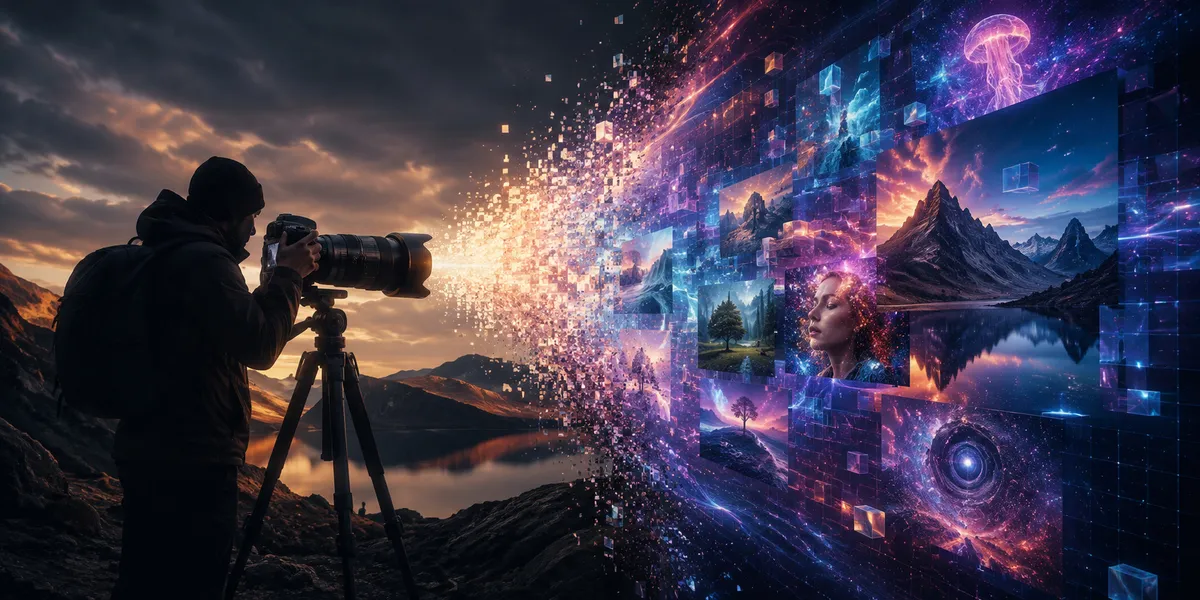
AI will not replace every photographer.
But it will replace a lot of camera work.
That is the hard truth.
For years, the camera was the gate. If you needed a product shot, ad image, fashion scene, food photo, banner, or campaign visual, someone had to make it by hand. They had to plan it, stage it, light it, shoot it, edit it, export it, and send it.
Now a marketer can type a prompt and get a polished image in minutes.
A founder can test product ads without a studio.
A creator can make ten thumbnail ideas before lunch.
A designer can build scenes, mockups, backdrops, moodboards, and pitch visuals without booking a shoot. Tools like Midjourney make that possible, as we show in unleashing creativity with Midjourney.
That does not mean photography is dead.
It means cameras are no longer the only way to make a useful image.
For some work, cameras are becoming optional.
View this post by @stalinkay on Threads
For a cleaner way to manage brand fonts on iPhone and iPad while you ship AI-assisted visuals, get Font Wizard Pro on the App Store.
Summary
Will AI replace photographers? It will replace some photography work, mainly low-cost, generic, fast-turnaround visuals. It will not replace photographers when the image needs trust, proof, real people, real products, live events, taste, direction, or legal safety. AI is strongest when the image only needs to look good; a camera is still stronger when the image needs to show what is real.
The market is not ending. It is splitting.
The U.S. Bureau of Labor Statistics projects photographer employment to grow 2% from 2024 to 2034. That is slow growth, not collapse. The same page also projects about 12,700 photographer openings per year, on average, over the decade. Source: U.S. Bureau of Labor Statistics
But the pressure is real.
Creative Review reported that Association of Photographers members who said they had lost work to generative AI rose to 58.1% by February 2025. Source: Creative Review
Reuters also reported in May 2026 that global firms are using AI to bring more ad work in-house. The report covered teams using AI for product visuals, ad work, trend response, and faster content production. Source: Reuters
So the answer is not simple.
Photography is not dead.
But a large part of the old market is being rebuilt.
The new split looks like this:
| Type of work | AI impact | Why |
|---|---|---|
| Stock-style images | High | Buyers need fast, generic visuals |
| Simple product concepts | High | AI can make many versions fast |
| Blog banners | High | Most need mood, not proof |
| Social posts | High | Speed and volume matter |
| Pitch decks | High | Draft visuals are often enough |
| Weddings | Low | The event must be real |
| Journalism | Low | The image must show proof |
| Real estate | Medium | Real spaces still matter, but staging can use AI |
| Luxury campaigns | Medium | AI can help, but taste and trust still matter |
| Product proof | Low | Buyers need true color, texture, scale, and fit |
| Portraits | Medium | AI can fake a look, but identity still matters |
This is the future:
AI will eat the work where “looks real” is enough.
Cameras will hold the work where “is real” matters.
AI is coming for “good enough” photography first
Most clients do not start with art.
They start with a task.
They need a hero image. They need a product scene. They need a social ad. They need a blog banner. They need a thumbnail. They need a mockup. They need a background. They need 20 versions by Friday. They need it cheap.
That is where AI wins.
AI does not need a studio. It does not need weather. It does not need props. It does not need travel. It does not need a reshoot when the client says, “Can we make it warmer?”
It can make a clean image fast.
And for many marketing tasks, fast and clean is enough.
That is why the cheap middle is under pressure.
A lot of paid image work is not fine art. It is not a wedding. It is not news. It is not a once-in-a-lifetime moment.
It is content.
And content has a budget.
When a client can get “good enough” images faster and cheaper, some of them will choose that.
AI vs camera: when to use each
| Need | Use AI | Use a camera |
|---|---|---|
| Test ad concepts | Yes | Maybe |
| Make 30 quick variations | Yes | No |
| Show a real product flaw | No | Yes |
| Capture a wedding | No | Yes |
| Create a fictional scene | Yes | No |
| Show true product color | Maybe | Yes |
| Build a moodboard | Yes | Maybe |
| Document a live event | No | Yes |
| Make a blog banner | Yes | Maybe |
| Create legal or medical proof | No | Yes |
| Make a luxury brand campaign | Maybe | Yes |
| Create a social post background | Yes | Maybe |
| Prove someone attended an event | No | Yes |
AI is a great idea machine.
A camera is a proof machine.
That line matters.
AI does not replace trust
AI can make a bride who never existed.
It can make a burger that was never cooked.
It can make a room that was never built.
It can make a model who never wore the jacket.
That is useful for some work. It is dangerous for other work.
A wedding photographer is not just making pretty images. They are recording a day that cannot be repeated.
A news photographer is not just making a strong frame. They are showing evidence.
A product photographer is not just making an ad. They may need to show the real texture, scale, color, label, fit, finish, or flaw of a product.
A portrait photographer is not just making a face. They are helping a person look like themselves on their best day.
AI can create a look.
A photographer can earn trust.
That gap matters.
The four photography markets AI will change
AI will not affect every photo job the same way.
The work falls into four groups.
1. Proof-based photography
This includes news, legal records, product proof, real estate, medical images, live events, and documentary work.
The value is truth.
AI is weak here because it can fake reality.
A camera still matters because the buyer needs proof.
2. Memory-based photography
This includes weddings, family portraits, graduations, birthdays, and once-in-a-lifetime events.
The value is the moment.
AI can make a beautiful image, but it cannot capture what happened.
A camera still matters because people want their real day, not a fantasy version of it.
3. Brand-based photography
This includes premium campaigns, founder portraits, product launches, fashion, editorial work, and brand storytelling.
The value is taste.
AI can help with drafts, ideas, and versions. But strong brands still need direction, judgment, consistency, and control.
A photographer still matters when the brand needs a clear point of view.
4. Volume content
This includes blog banners, social graphics, simple ads, thumbnails, mockups, pitch decks, and generic lifestyle images.
The value is speed.
AI is strong here because the work is often low risk and high volume.
This is the market where cameras may become optional first.
When every brand starts looking the same
Generic AI visuals blend together
When everyone uses the same AI tools, the images start to blend.
The lighting looks the same. The skin looks the same. The coffee shop looks the same. The “modern workspace” looks the same. The fake product scene looks the same. The smiling team looks the same.
AI can make a clean image.
But clean is not the same as branded.
A generic AI image can fill space, but it cannot build memory on its own.
What a real brand system still needs
Your brand still needs a system.
That system includes:
- Fonts
- Color
- Layout
- Spacing
- Logo use
- Voice
- Image rules
- Product truth
- Repeated visual patterns
Where teams lose despite more output
This is where many teams will fail.
They will make more images, but the images will not feel like one brand.
They will post more, but people will not remember them.
They will save money on photos, then lose trust through weak design. A muddled brand story makes that worse, as we explain in why your brand story isn’t working.
AI makes typography more important, not less
Headlines and fonts carry more weight now
When images become easy to make, the words around them matter more.
A strong headline can make an AI image feel like an ad.
A weak headline can make an expensive photo feel dead.
The right font can make a campaign feel premium, playful, calm, bold, local, modern, or trusted.
The wrong font can make the same visual feel cheap.
This is why font control matters more in an AI-heavy workflow.
Type is part of brand voice, not decoration
Your font is not decoration.
It is part of your brand voice.
A camera can show what something looks like.
A font helps decide how it feels.
Font chaos on creative teams
The same problems keep showing up
AI speeds up the image side.
But many creators still lose time on the font side.
The same problems keep showing up:
You remember how a font looked, but not its name.
You saved a font, but not where.
You downloaded a font once, then downloaded it again because you could not find it.
You have font files in Downloads, Files, email, client folders, old projects, cloud drives, and random ZIP files.
You need to compare a headline across fonts, but your workflow is slow.
You need a client font on another device, but it is stuck in the wrong place.
You need a logo font, a website font, and a campaign font kept apart, but everything lives in one messy pile.
View this post by @stalinkay on X
Why this is not a small annoyance
This is not a small problem.
It slows down real work.
And when AI makes more visuals faster, messy font systems become even more painful.
Why font chaos hurts more in the AI era
More image options stress the rest of the stack
AI changes the speed of the creative process.
You can now make more image options in less time.
That sounds great until your system breaks.
You test ten banners. Then you need ten headlines. Then you need five font options. Then you need the client’s brand font. Then you need to move the files to your Mac. Then you need to build the final asset. Then you cannot find the font.
When speed turns into chaos
That is how speed turns into chaos.
The problem is not that you lack ideas.
The problem is that your assets are scattered.
A faster image workflow needs a faster brand asset workflow.
The smart workflow: AI for speed, cameras for truth, fonts for control
The winning creative workflow will not be “AI only.”
It will be:
- Use AI to test visual ideas fast.
- Use real photography when truth, trust, or emotion matters.
- Use strong copy to guide attention.
- Use brand fonts to make the work feel owned.
- Keep your font library clean, portable, and ready.
That last step matters because speed is now part of quality.
A great font does not help if you cannot find it.
A brand font does not help if it is stuck on another device.
A campaign typeface does not help if you cannot compare it with your headline.
A client font does not help if it is buried inside an old ZIP file.
A practical tool for the new creative workflow
If you work with fonts often, Font Wizard Pro can help you keep your type library ready.
It turns your iPhone or iPad into a portable font workflow.
You can import OTF, TTF, OpenType, and TrueType files. You can browse font sites, download useful font files, preview typefaces, and compare styles. You can tag fonts, build project sets, export ZIP files, and transfer fonts to a Mac or PC over Wi-Fi.
That makes it useful for:
- Designers building logo, poster, web, and brand font sets
- Marketers managing campaign fonts
- Developers testing fonts for apps and sites
- Content creators comparing title and thumbnail styles
- Students building project libraries
- Small business owners keeping brand fonts close
- Writers testing how words feel in different styles
This is not about collecting fonts for fun.
It is about reducing friction when you need the right font now.
Why Font Wizard Pro fits the AI era
AI can help you create more images.
But that creates a new problem.
You now need to make more choices.
Which headline works? Which font fits this product? Which typeface feels more premium? Which style matches this campaign? Which font belongs to this client? Which file should go to the Mac? Which font can I use in this project?
Font Wizard Pro helps with the parts AI does not solve for you.
It gives your fonts a home.
You can preview the font before you use it. You can compare typefaces with your own words. You can tag fonts by mood, client, style, platform, or project. You can keep a campaign set apart from a logo set. You can export and transfer files when it is time to build.
That matters more now because AI makes the draft faster.
Your system has to keep up.
What AI changes for each creative role
| Role | What AI speeds up | What still needs control |
|---|---|---|
| Photographer | Moodboards, edits, planning, client ideas | Real shoots, direction, trust, proof |
| Designer | Concepts, scenes, backgrounds, options | Layout, brand rules, typography |
| Marketer | Ad tests, thumbnails, campaign versions | Message, offer, trust, conversion |
| Developer | App mockups, UI previews, assets | Font files, performance, licensing |
| Creator | Video covers, posts, banners | Style, voice, font choice, consistency |
| Founder | Product concepts, quick ads, pitch visuals | Brand identity, proof, credibility |
AI helps teams make more.
But more is not the same as better.
Control still wins.
Do fonts really matter if AI makes the whole image?
Yes.
In many cases, they matter more.
AI is still weak with exact text, brand fonts, and clean type placement. Even when it improves, brands will still need control over headlines, captions, layouts, decks, sites, ads, apps, and final files.
Most serious work does not end inside an AI image tool.
It ends in a design file, website, ad manager, app, deck, video editor, or client folder.
That is where fonts matter.
Can I just keep fonts in folders?
You can.
But folders break down fast.
A folder cannot show you how a typeface feels. A folder cannot compare fonts with your own headline. A folder cannot tag fonts by client, mood, or campaign. A folder cannot turn your phone or tablet into a clean font workflow. A folder cannot make a messy library feel simple.
Folders store files.
A font manager helps you choose.
That is the difference.
Is AI photography bad for creators?
It depends on how it is used.
AI is bad when it steals style, hides truth, fakes proof, replaces paid work without care, or tricks buyers.
AI is useful when it helps people test ideas, save time, create drafts, build mockups, and explore visual directions.
The ethical line is simple:
Do not use AI to lie.
Use it to work faster, test more ideas, and support better decisions.
For important work, be clear about what is real, what is edited, and what is generated.
Will clients still pay for photographers?
Yes, but not for everything.
Clients will still pay when the work needs:
- Trust
- Taste
- Direction
- Real people
- Real products
- Real moments
- Strong lighting
- A clear point of view
- A premium result
- Legal safety
- Brand-level control
The weak middle is in danger.
That means photographers must sell more than files.
They must sell judgment, taste, process, trust, story, and brand value.
The legal and trust risk of AI images
AI images can create risk when they blur the line between real and fake.
That risk is higher when an image is used to sell something.
The U.S. Federal Trade Commission says ads must be truthful, not misleading, and backed by evidence when needed. Source: FTC truth-in-advertising guidance
That matters for AI images.
If a product looks bigger, smoother, cleaner, stronger, safer, or more effective than it is, the image can mislead buyers.
If a fake person appears to endorse a product, that can mislead buyers.
If an AI image shows a result that never happened, that can mislead buyers.
If a generated product photo hides flaws, changes scale, or invents features, that can damage trust.
AI does not remove the need for judgment.
It raises the cost of bad judgment.
A safer AI image checklist
Before you use an AI image in public, ask:
- Does this image show a real product truthfully?
- Could a buyer think this scene happened in real life?
- Does it imply a result we cannot prove?
- Does it use a fake person as if they are real?
- Does it copy a living artist, brand, or photographer too closely?
- Does it match our brand rules?
- Is the font correct?
- Is the text readable?
- Is the final asset clear, honest, and useful?
If the image sells, proves, or promises something, be careful.
If the image only sets mood, risk is lower.
What photographers should do now
Photographers should not ignore AI.
They should study where it helps and where it fails.
Smart photographers can use AI to:
- Plan shoots
- Build moodboards
- Speed up edits
- Cull images
- Draft client ideas
- Test backgrounds
- Build marketing assets
- Write proposals
- Create social posts
- Improve delivery speed
But they should also double down on what AI cannot do well:
- Direct real people
- Capture real moments
- Build client trust
- Create proof
- Read a room
- Handle pressure
- Solve live problems
- Shape a full brand story
- Bring taste to the work
Photographers who know when to use AI and when not to are better placed for that split market.
What marketers and creators should do now
Marketers and creators should stop asking, “Can AI make this image?”
That is too easy.
Ask better questions:
Does this image build trust? Does it match the brand? Does it look like everyone else’s AI content? Is the product shown truthfully? Does the type make the message stronger? Can this be used in an ad, deck, site, or client campaign? Do we have the right font files ready? Can we move from idea to final asset without a file hunt?
AI gives you speed.
Your workflow gives you control.
The new creative stack
The new stack looks like this:
- AI for concept speed
- Cameras for truth and trust
- Design tools for layout
- Fonts for brand voice
- Font management for control
- Human taste for final judgment
That last part is key.
AI can make options.
It cannot care which one is right.
Will AI replace photographers?
AI will replace some photography jobs.
It will replace some low-budget product scenes, generic ads, stock-style images, and quick visual drafts.
It will reduce the need for cameras in some content workflows.
But AI will not replace the full value of a strong photographer.
It will not replace trust.
It will not replace live moments.
It will not replace human direction.
It will not replace taste.
It will not replace the need for a clear brand system.
The camera is no longer the only way to make a professional-looking image.
But the person with the best taste, best system, and best workflow still wins.
Why cameras may become optional
Cameras may become optional because many buyers do not need a photograph.
They need a result.
They need a scroll-stopping image. They need a fast campaign. They need a product concept. They need a visual direction. They need a clean mockup. They need a social post. They need a pitch. They need a test.
AI can give them that.
But optional does not mean obsolete.
A keyboard did not make writers useless.
A drum machine did not kill music.
A camera phone did not kill professional photography.
AI will not kill photographers.
It will punish weak positioning.
It will reward people who move faster, think sharper, and build better systems.
Final answer
AI will not replace photographers.
But it will replace a lot of camera work that was only needed because there was no faster option.
That means the future is not “AI vs photography.”
The future is:
Use AI when speed matters. Use cameras when truth matters. Use typography when brand matters. Use a clean workflow when deadlines matter.
And if your visual work depends on the right fonts, keep them close.
Font Wizard Pro helps you save, preview, tag, compare, export, and transfer your font library from one clear place.
FAQ
Will AI replace photographers?
AI will replace some photo work, mainly low-cost, generic, and fast-turnaround visuals. It will not replace photographers for real events, real products, portraits, journalism, luxury work, or any job where trust and direction matter.
Are cameras becoming useless?
No. Cameras are becoming optional for some marketing and design tasks. They are still needed when the image must show something real.
What types of photography are most at risk from AI?
Stock-style images, generic product scenes, simple ad concepts, fictional lifestyle images, backgrounds, mockups, and quick campaign variations are most at risk.
What types of photography are safer from AI?
Weddings, events, documentary work, sports, journalism, real estate, legal records, real product proof, personal branding, and high-end commercial work are safer because they need real-world truth or strong human direction.
Why are cameras becoming optional?
Cameras are becoming optional because many content buyers need a usable visual, not always a real photograph. AI can create fast drafts, concepts, banners, mockups, and social images without a shoot.
How can photographers compete with AI?
Photographers can compete by selling trust, taste, direction, speed, brand thinking, client experience, and real-world proof. They can also use AI to speed up planning, editing, culling, and admin work.
Should marketers use AI instead of hiring photographers?
Use AI for low-risk drafts, tests, and generic visuals. Hire photographers when the work must show real people, real products, real events, premium quality, or proof.
Why do fonts matter in AI photography?
AI can make a strong image, but brand assets still need clear typography. Fonts help shape mood, trust, recall, and brand consistency across ads, decks, sites, apps, and social posts.
What is the best workflow for AI-assisted visual content?
Use AI for drafts and concepts. Use cameras for truth and high-value moments. Use design tools for layout. Use a font manager to keep brand fonts ready. Use human taste to make the final call.
Can I manage fonts on iPhone or iPad?
Yes. Font apps can help you install and manage fonts on iPhone and iPad. Font Wizard Pro also helps you build a portable font library, preview typefaces, organize projects, and transfer font files to a Mac or PC.
Can Font Wizard Pro transfer fonts to a computer?
Yes. Font Wizard Pro supports ZIP export and local Wi-Fi transfer with QR and link helpers, so you can move font files to a nearby Mac or PC.
Who is Font Wizard Pro for?
It is for designers, marketers, developers, content creators, students, small business owners, writers, and makers who work with font files. It helps anyone who needs a cleaner way to preview, compare, organize, export, and transfer them.
Sources
- U.S. Bureau of Labor Statistics: Photographers
- Creative Review: How AI is threatening commercial photographers
- Reuters: Global firms use AI to bring more ad work in-house
- FTC: Truth in Advertising
- FTC: Advertising and Marketing Basics
- Adobe Community: Font folders and font organization request
- Font Wizard Pro on the App Store
Use and trademark notes
Font Wizard Pro works with font files you import or download from sources you choose.
Only use fonts you have the right to copy, install, share, or use.
Compatibility can vary by font file, device, system version, app, and transfer setup.
iPhone, iPad, iPod touch, Mac, and App Store are trademarks of Apple Inc., registered in the U.S. and other regions.
Related reading
- Font Wizard Pro Is Back: Take Your Font Library Everywhere
- AI Headshots, Product Photos, and Fake Images: The Future of Photography Is Here
- Are Cameras Becoming Useless? The Truth About AI Photography
- World Cup Font Guide: How to Create Match-Day Posters, Watch Party Flyers, and Social Graphics Without Copying FIFA’s Brand